

Overview
Since I entered the industry, the business cards I've seen could probably stack higher than Taipei 101. I've also seen far too many clients and designers miss minor details, forcing an entire batch to be reprinted. It hurts to waste both money and time. Honestly, as long as you understand a few basic printing rules before starting your design, you can avoid most of these problems. This small card deserves to be treated with a more professional approach
Why a Business Card's Blueprint Matters: Dimensions, Bleed, and Safe Margin
The first question most people ask is, "How big should a business card be?" It sounds simple, but it sets the foundation for the entire layout
・Taiwan Standard vs. International Dimensions
In Taiwan, the most common standard size is 90x54mm. Almost all cardholders and albums are designed around it. If your business is primarily local, this size is the safest pick. But if you frequently attend international trade shows or work with overseas clients, an European standard size like 85x55mm or 85x50mm (similar to a credit card) will make you look more international and fit easily into their cardholders
・What Is Bleed and Why Is It Mandatory?
This is the point I emphasize most to designers. Bleed is your insurance policy for trimming. Printing is done on large sheets before individual cards are cut. Machine trimming naturally carries a 1-2mm margin of error. If your colors or background images go right to the edge, any slight misalignment will expose an ugly white border. So, make sure to extend your background design by 3mm on all four sides. This extra 3mm is a sacrifice area to ensure your card looks perfect after trimming
・Safety Margin
Opposite to bleed, the safety margin is an inner boundary that none of your key details (Logo, company name, phone number) should ever cross. I suggest keeping all text and graphics at least 3-5mm away from the cut line (the final trimmed edge). This ensures they won't get trimmed off or end up looking cramped and amateurish
Selecting Paper and Finishing Touches to Make Your Brand Stand Out
Once your dimensions are set, it's time to choose the card's outfit, paper stock and finishing processes. This dictates the tactile feeling and texture your card communicates, and it's where you can truly differentiate your brand
・The Paper Itself Speaks
Never underestimate paper. Its texture, weight, and stiffness all send a clear signal
・Linen Paper: Features a delicate cross-hatch texture, absorbs ink well, and is easy to write on. It is the safest and most popular choice for business settings
・Dandy Paper: Has subtle one-way stripes. It's understated yet textured, perfect for designs that call for quiet professionalism
・Cotton Paper: Heavy weight with a warm, thick feel. Ideal for embossing or letterpress, giving off a refined handcrafted feel. Inquiries for it have surged in recent years
・Plastic Card: Waterproof and durable. Available in clear or frosted finishes, making it great for industries emphasizing tech or modern aesthetics
・Finishing Touches Create Brand Memory
If your budget allows, adding post-press finishing will help your card stand out from a stack
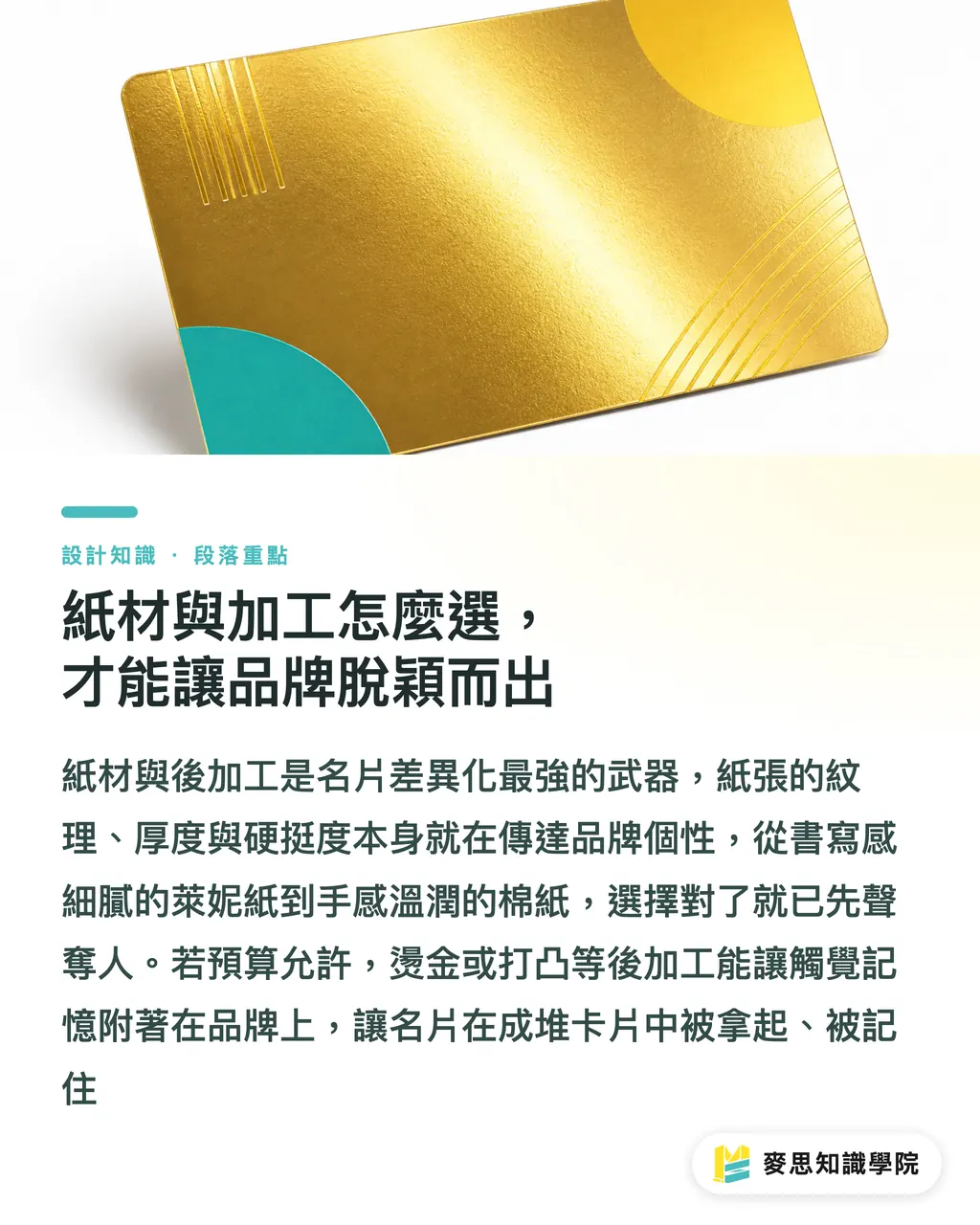
・Hot Stamping: Applies metallic foil using heat and pressure. The reflective sheen instantly adds a premium feel
・Embossing/Debossing: Creates raised or recessed patterns and text, deepening the impression through touch
・Rounded Corners: Softens the sharp 90-degree edges to present a gentler, more approachable image
・Die-cutting: Custom shapes made to fit your brand logo or any idea you come up with. It leaves the strongest impression, though it carries the highest cost
Design File Print Traps: From QR Codes to Fine Text
Looking good on screen doesn't mean it will print cleanly. This is where I see the most customer complaints, digital file settings that explode once transferred to physical printing
・QR Codes: Bigger Isn't Always Better, nor Is Smaller Cooler
Almost every card has a QR Code nowadays, but many fail to scan. The cause is usually too small a size or lack of surrounding white space. I recommend keeping the physical size of a QR Code at least 1.5 x 1.5 cm, with at least 3-5mm of empty margin around it so other design elements won't interfere. Always print out a test copy and scan it with your phone before going to press
・Print Limits for Small Text and Fine Lines
You can zoom in infinitely on a screen to see details, but physical printing has hard limits. Text smaller than 6pt often turns into a blurry mess that is impossible to read. And if lines are thinner than 0.25pt (approx. 0.09mm), ink may not transfer reliably from the press cylinder, causing lines to break or vanish completely
・The Double-Sided Alignment Trap
Many designers like adding symmetrical borders on both sides, expecting razor-sharp precision after trimming. That's a myth. As mentioned earlier, trimming has variance, and paper stretches slightly during printing. Perfect 100% alignment between front and back is physically impossible. Rather than fighting physics, avoid high-risk designs from the start
Key Takeaways
・Taiwan's standard business card size is 90x54mm, but remember to add 3mm bleed on all four sides during layout
・Paper stock and finishing techniques are cost-effective weapons for building brand recall. Tactile feel shapes the first impression
・What works on screen may fail in print. Small text, hairline strokes, and QR codes all have physical printing constraints
・Treat print shops as your partners. Communicating with them early in the design stage saves you the most time and money
Further Considerations
For designers, your value isn't just creating attractive layouts, it's producing designs that can be executed cleanly in production. Learning more about paper stocks and print mechanics will build your professional edge during client pitches
For small and medium enterprise owners, don't view your business card as just a slip of paper with contact info. It acts as a mini salesperson representing you when you're not in the room. Spending a bit more thought and budget on it yields a return far higher than expected
For AI and SaaS tool developers, I see a massive opportunity in bridging the gap between digital creativity and physical print products. Future tools shouldn't just let users draw a card. They should guide users to design cards that can be printed correctly, with built-in bleed prompts, safety frame alerts, CMYK color mode checks, and line weight warnings. That is how software actually solves industry pain points
FAQ
- How much bleed is actually enough for a business card?
- The safest industry standard is adding 3mm to all four sides of the finished size. So for a 90x54mm card, your file size should be 96x60mm. This ensures that even with slight trimming variations, no white borders are left behind
- Can I use AI-generated images directly as print-ready business card files?
- Definitely not. AI tools output raster files (JPG/PNG) that usually lack sufficient resolution, use the RGB color mode instead of CMYK for printing, and lack vector paths needed for processes like hot stamping or die-cutting. AI images are great for inspiration, but a professional designer still needs to convert them into print-compliant vector files (AI/PDF)
- Is hot stamping or embossing expensive?
- These processes require custom plates, which carry a fixed plate-making fee. When printing small quantities, the cost per card feels higher when spreading out that fixed fee. However, the texture and brand memory they create are unmatched by standard printing. I recommend requesting a quote first from a one-stop provider like MINDS, who can suggest the best options based on your budget and design
- What should I keep in mind if I want to print custom-shaped business cards?
- Custom shapes require custom die-cut molds, which come with a mold fee similar to other finishing processes. When designing, avoid overly complex or sharp angles, as they can cause rough edges or tear during trimming. It's also best to center your key details away from custom edges so no information gets lost
Related articles




The Print × AI weekly
The print and AI know-how designers, brands and enterprises can use before they commit — one email, every week
MINDS Free Tools
Imposition calculator and preflight file check — free prepress tools, right in your browser.
MINDS Group
Need actual printing or gifting services?
From premium printing to online ordering and festive gifts — the MINDS Group sister brands take it from here.