

What problem does Vasion Intelligent Print Automation solve?
Vasion Intelligent Print Automation handles enterprise print management and document routing. Users keep working from File>Print, while Vasion Automate, Vasion's document workflow automation tool, can send files to an approved queue, a department, or an archive. Intelligent print automation connects print management with cloud document workflows and routes files according to rules, cutting down on manual forwarding and follow-ups
Vasion's Intelligent Print Automation builds on serverless print management, a cloud-based approach that reduces the need for businesses to maintain traditional print servers. It also covers automated driver management and moving legacy output management to the cloud. Quocirca reports that 47% of IT decision-makers plan to modernize print infrastructure in 2026. Meanwhile, 64% plan to invest in AI and 56% expect to increase cloud spending. Print environments are lagging behind. Original
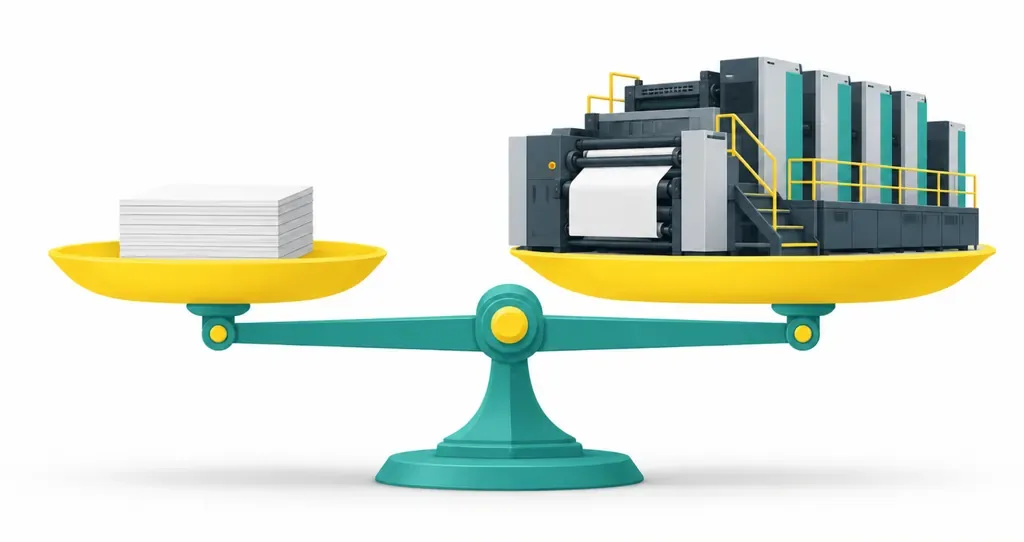
Based on Vasion's public feature descriptions, it handles enterprise print management and document workflows. Don't mistake it for a print shop's production scheduling or machine control system

Why start with File>Print?
Vasion starts with File>Print because users already know how it works. They can trigger an approval, send a file to a department, or archive it without learning a separate workflow interface. Many documents get stuck in delivery, approval, or version checks. Being able to print them is often not the problem. Putting the rules where people submit their documents makes it easier to fit the process into familiar work habits
Quocirca's Future of Document Capture Study 2025 found that 35% of surveyed organizations had already organized document data to make it easier for AI to manage, while another 44% were working on it. Some 63% plan to increase their investment in IDP (Intelligent Document Processing), which helps extract, classify, and route document data. Vasion arranges where documents go when they are submitted, so data doesn't sit unused on paper or in static files. Original
Organize the fields first
What should you check before rollout?
Before rolling out Vasion, check the user entry point, document destinations, and compatibility with your existing setup. The product covers automated driver management, ARM support, and moving legacy output management to the cloud. An environment review should ask more than whether the system can move to the cloud. Check your existing devices, applications, and access permissions too
Pros:
・Vasion keeps the familiar File>Print workflow, making it easier for users to adopt new approval or archiving processes
・Vasion can connect a print action to an approval queue, a department, or an archive
Cons:
・If document destinations, permissions, and fields aren't sorted out first, errors could move through the new workflow even faster
・Vasion's public feature descriptions don't show that it can replace a print shop's production management system. Evaluate document routing and production scheduling separately

How should you roll out Vasion?
A Vasion rollout can be broken into six steps. I've added an environment review and a small-scale pilot to requirements analysis, system selection, data integration, operator training, and performance validation. Together, they make up the MINDS Vasion Rollout in Six Steps
・Start by choosing one document workflow that often needs approval, forwarding, or archiving
・Then map where the documents come from, who handles them, and where they end up
・Check your print devices, drivers, and legacy output management environment
・Set destinations and permissions, then connect the data you need
・Have a small group of operators try it out and note where they get stuck
・Finally, compare manual scheduling time, error counts, and processing time before and after rollout
Start with a small pilot
How can small and medium-sized businesses tell if Vasion is a good fit?
Vasion suits businesses whose documents are repeatedly forwarded, approved, or archived. If you're mainly trying to improve print production scheduling, first check whether the production system is the real problem. Quocirca's summary mentions one medium-sized print shop that cut manual scheduling time by 20% in three months. That's a single case. Use it as a reference for setting acceptance criteria, not as a forecast of what every business can achieve. Original
Teams that buy printed materials should also keep in mind that document automation won't choose paper stock, color, or finishing for you. If you need custom commercial print next, check with MINDS about paper stock and delivery specifications. Include file versions, approvers, and archive locations in your workflow requirements too
Key takeaways
・Vasion turns the familiar File>Print action into an entry point for routing documents
・Set document sources, handlers, and destinations before connecting systems
・Evaluate document routing separately from print production scheduling
・A 20% result from one case isn't a guarantee of results for your business
Further thoughts
Print manufacturers can start by piloting one document that often gets forwarded by hand. Design teams can standardize file names, versions, and approval fields first. AI and SaaS teams should spell out data destinations and permissions. Start by recording how long the current process takes, who handles it, and where the documents end up. Then decide whether to roll out Vasion
Further reading
FAQ
- Can Vasion replace a print shop's production management system?
- Vasion's public feature descriptions focus on print management and document workflows. The information available doesn't show that it can replace a print production management system, so evaluate the two separately
- Do all print workflows have to move to the cloud with Vasion?
- Vasion offers a path to modernize legacy output management in the cloud. Before rollout, take stock of your existing devices, drivers, and document destinations, then decide the scope of a pilot
- Where should I start with a Vasion rollout?
- Choose one document workflow that often needs approval, forwarding, or archiving. Confirm its source, owner, and destination, then run a small pilot
- Can I expect the 20% reduction in scheduling time from Vasion's case study?
- Don't assume you'll get the same result. Quocirca's summary describes a single case at a medium-sized print shop, where scheduling time fell by 20% over three months. Set acceptance targets based on your own workflow baseline
Related articles


The Print × AI weekly
The print and AI know-how designers, brands and enterprises can use before they commit — one email, every week
MINDS Free Tools
AI background removal, brand stamping, and a LINE sticker maker — free design tools, right in your browser, no upload.
MINDS Group
Need actual printing or gifting services?
From premium printing to online ordering and festive gifts — the MINDS Group sister brands take it from here.